Get Started

Fusion SaaS: improved method for running SQL queries by using generic OIC integration and BIP lexicals

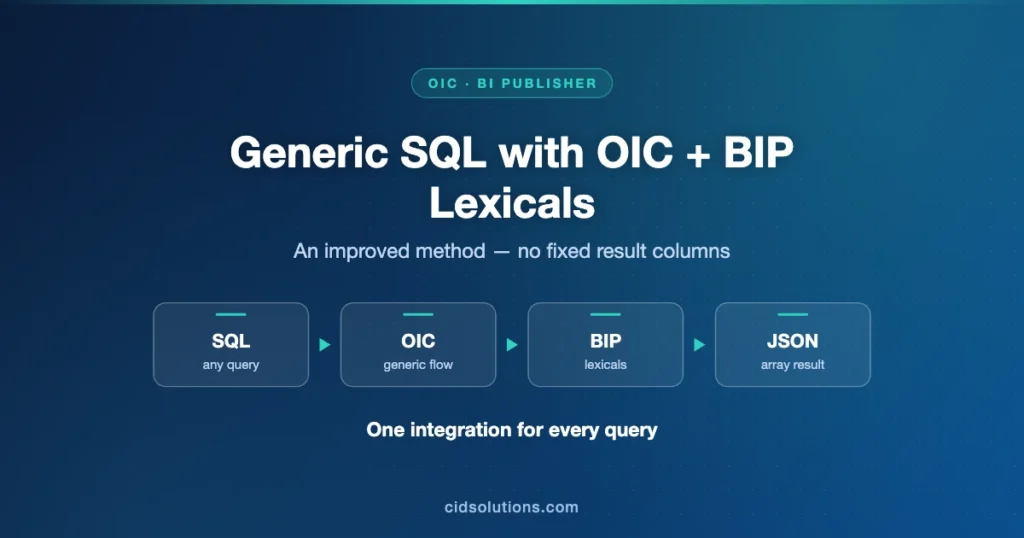
Generic SQL with OIC + BIP Lexicals: An improved method — no fixed result columns

General

In the previous post we have presented a generic OIC integration that can receive an SQL parameter and return JSON array result,
The solution presented there had limited number of resulting columns and due to the predefined response schema the results records had also common names; COL1, COL2, etc.
This post will show how the previous solution can be improved by using BIP lexicals and OIC binary output.
The solution that is presented in this post will remove the resulting columns limit, will provide a readable output in a more efficient manner.
The wrapper Groovy code presented before can be still used to expose the integration to VB AppUIs.

High Level Implementation Details

  1. Modify the query utility BIP report to return JSON result instead of XML by using JSON_OBJECT and JSON_ARRAYAGG.
  2. Use lexicals approach to generate results dynamically.
  3. Simplify the OIC integration by declaring binary output with application/json content type.

Detailed Implementation Details

  1. Create a BIP data model and report called RunSQLToJson with p_sql parameter and 2 data sets: G_META and G_DATA
    • Create dataset G_META with the following query:
      select :p_sql query_to_process from dual
    • Create dataset G_DATA with the following query:
      select json_arrayagg(json_object(* returning clob) returning clob) as json_doc from &query_to_process)
      Screenshot 2024 10 20 at 18.57.08
    • Create a report RunSQLToJson pointing to the model created
    • Test the report:
      Screenshot 2024 10 20 at 19.13.49
  2. Create a new integration triggered by a REST call
    • Define JSON payload for input
      Screenshot 2024 10 20 at 19.01.50
    • Define binary for output
      Screenshot 2024 10 20 at 19.02.35
    • Initialize response variable:
      Screenshot 2024 10 20 at 19.03.26
    • Call BIP utility report and save the result into a staging file:
      Screenshot 2024 10 20 at 19.04.42
    • Read the stage file and check if the query returned any data:
      Screenshot 2024 10 20 at 19.06.23
    • Assign results to a variable initialized before:
      Screenshot 2024 10 20 at 19.08.17
    • Map the results to binary output, use the following function:
      oraext:decodeBase64ToReference (oraext:encodeBase64 ($res ) )
      Screenshot 2024 10 20 at 19.09.24
    • Final OIC layout:
      Screenshot 2024 10 20 at 19.15.34
  3. Test the results:
    Screenshot 2024 10 20 at 19.11.52

Table of Contents

3 thoughts on “Fusion SaaS: improved method for running SQL queries by using generic OIC integration and BIP lexicals”

  1. Venkat

    Dear,
    Thanks a lot for your blog and explain in detail.

    While creating the data model in Fusion, I encountered the error ‘ORA-00942: table or view does not exist.’ Could you please explain how you were able to proceed without this issue? Additionally, could you advise if I am missing any steps?

    Create dataset G_DATA with the following query:
    select json_arrayagg(json_object(* returning clob) returning clob) as json_doc from &query_to_process)

    Thanks
    Venkat

    1. Alex Rabinovich

      Dear Venkat,

      When you save the G_DATA query, a popup is shown and the &query_to_process is empty, type there a query like: select 1 num from dual

      You can use any query there.

      Feel free to contact us with any questions.

      1. Venkat

        Dear Alex,

        Thanks a lot for your quick support, Now its working the bi query. If possible can you share me BI Report CatLog and .iar file.
        my email id: pvrmsc@gmail.com

        Thanks
        Venkat

Leave a Reply

Your email address will not be published. Required fields are marked *