Using Visual Builder advanced mode to Add dynamic URL with order context to Redwood Order screen
AuthorAlex Rabinovich
Updated onAugust 12, 2026
Time to read6 min
Business Challenge
Update (Aug 2026): where the Redwood page actually exposes the record context, you can now do this config-only — no advanced mode — with a Guided Journey. See Fusion Redwood: Add context-aware links to any page by using Guided Journeys . Use the DOM approach below when the context isn’t exposed (e.g. Inventory Transactions).
Oracle SCM has introduced new Redwood UI for Order management. It brings additional functionality and is aligned with Oracle roadmap of moving all UI screens to Redwood. In the classic mode there was an option to create context specific links by using Page Composer, for example open a BIP report or external application and pass to it current order header id by using #{binding} syntax. New Redwood Ui screens are being customized by Visual Builder Studio and additional links can be added by Guided Journey setup, however there is no documented syntax yet to pass current order id as a parameter to external URL or a BIP report (see the Aug 2026 update above for the Guided Journey method that resolves this).
Current customer’s request is to enable seamless navigation option from new Redwood screen to Classic screen.
Current post explains how this requirement can be achieved.
Our Solution
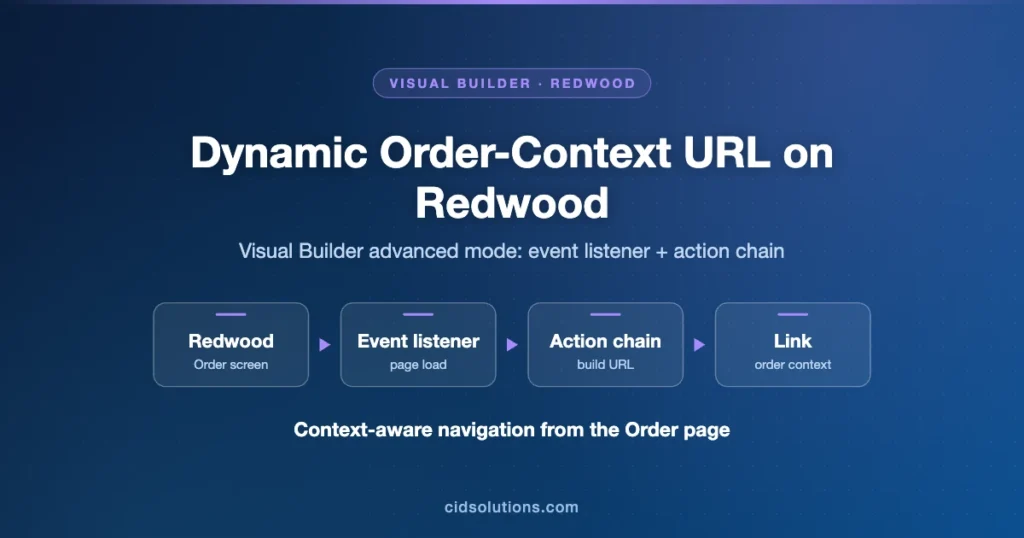
To address this challenge, we utilize Visual Builder Studio (VBS) in advanced mode to dynamically add a link to the Redwood Order screen that navigates to the Classic screen with the current order context. This involves creating an event listener to detect navigation to the order page and then manipulating the DOM to insert a new link with the extracted order header ID.
High Level Implementation Details
Use VBS in an advanced mode
Create a flow level event listener and action chain to catch vbAfterNavigate event
Check that the current page is order
Implement a javascript DOM analysis to find existing link “Additional order details”
Add dynamically new link after found link
Detailed Implementation Details
The solution is implemented through a custom action chain in VBS that listens for the vbAfterNavigate event. Below is the step-by-step code and explanation.
Step 1: Set Up the Event Listener
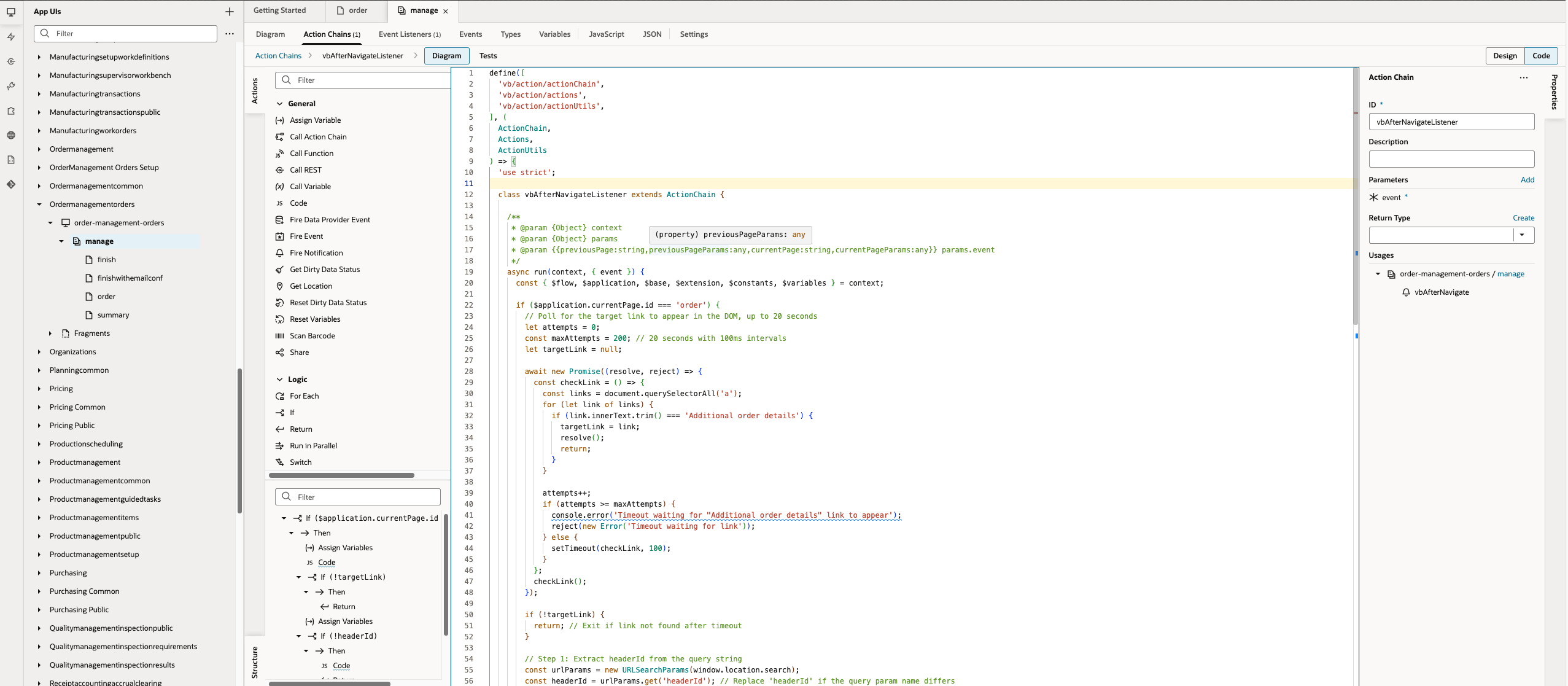
Create a flow-level event listener for the vbAfterNavigate event and associate it with the action chain.
Step 2: Implement the Action Chain
The action chain checks if the current page is the ‘order’ page, polls for the “Additional order details” link in the DOM, extracts the headerId from the URL query parameters, constructs the Classic URL, and inserts a new link.
Full action chain code can be copied from the below sniplet:
define(['vb/action/actionChain','vb/action/actions','vb/action/actionUtils',], (ActionChain,Actions,ActionUtils) =>{'use strict';classvbAfterNavigateListenerextendsActionChain{/** * @param{Object}context * @param{Object}params * @param{{previousPage:string,previousPageParams:any,currentPage:string,currentPageParams:any}}params.event */asyncrun(context,{event}){const{$flow,$application,$base,$extension,$constants,$variables}=context;if ($application.currentPage.id==='order') {// Poll for the target link to appear in the DOM, up to 20 secondsletattempts=0;constmaxAttempts=200;// 20 seconds with 100ms intervalslettargetLink=null;awaitnewPromise((resolve,reject)=>{constcheckLink=()=>{constlinks=document.querySelectorAll('a');for (letlinkoflinks) {if (link.innerText.trim() ==='Additional order details') {targetLink=link;resolve();return;}}attempts++;if (attempts>=maxAttempts) {console.error('Timeout waiting for "Additional order details" link to appear');reject(newError('Timeout waiting for link'));}else{setTimeout(checkLink,100);}};checkLink();});if (!targetLink) {return;// Exit if link not found after timeout}// Step 1: Extract headerId from the query stringconsturlParams=newURLSearchParams(window.location.search);constheaderId=urlParams.get('headerId');// Replace 'headerId' if the query param name differsif (!headerId) {console.error('headerId not found in query string');return;}// Step 2: Construct the URLconsturl=`/fscmUI/faces/deeplink?objType=SALES_ORDER&action=VIEW&objKey=HeaderId=${headerId};DraftOrderFlag=true&returnApp=/fscmUI`;// Step 4: Create the new linkconstnewLink=document.createElement('a');newLink.innerText='View in Classic';// Customize the link text as needednewLink.href=url;newLink.target='_blank';// Open in a new tabnewLink.style.marginLeft='10px';// Optional: Add some spacing; adjust styling to match UI// Step 5: Insert the new link after the target linktargetLink.parentNode.insertBefore(newLink,targetLink.nextSibling);}}}returnvbAfterNavigateListener;});
Note: Ensure that the query parameter name (‘headerId’) matches your environment. The polling mechanism waits up to 20 seconds for the DOM to load the target link, which can be adjusted as needed.
Advantages of This Pattern
Seamless Integration: Allows users to navigate between Redwood and Classic UIs without manual input of order IDs.
Dynamic Context Passing: Extracts and passes the current order header ID automatically.
No Documented Syntax Required: Bypasses the lack of official syntax for parameter passing in Redwood by using DOM manipulation.
Flexible Customization: Can be extended to add more links or integrate with other external applications.
Outcome
This approach provides a practical workaround for adding context-specific dynamic links in Oracle SCM’s Redwood UI, enhancing user experience and maintaining compatibility with Classic screens. If you need assistance implementing similar customizations in your Oracle Fusion environment, contact CID Software Solutions LTD.
5 thoughts on “Using Visual Builder advanced mode to Add dynamic URL with order context to Redwood Order screen”
srikanth
Alex-
We have a similar situation and checking if you can guide me and appreciate your help,
we have an existing customizations which were developed via app composer in sandbox in classic UI pages.
We have added few action buttons to the page like
1) Add item
2) Add BOM
3) Assign Approvers
All these action button calls the tomcat server where the logic is built .
example : add item— enables user to upload a item data file (txt file) to validate and create items in fusion product data.
add bom– enables user to upload bom data to validate and load bom data into the system.
assign approvers– gets the change order id /no as parameter from the page and calls the external tomcat server to assign the workflow approvers to the change order.
Wondering how i can solution or achive all these in redwood
I suggest to check the customization options available in Edit Page In Visual Builder. In many cases you can add a custom section. In addition in many CX screens you can use Smart Actions to create navigation links with current record contexr.
Please reach me at alex.rabinovich@cidsolutions.co.il and we will see how this can be solved.
Hello Alex.
Is Advanced mode an Oracle supported/upgrade-proof method to customize Redwood pages?
Also is there a comparison between Page Composer v/s Express Mode/ Advanced Mode capabilites and if Express mode allows to do something more than Page Composer would do.
Appreciate if you could share your thoughts
BR,
Arun
The abilities we have in Express mode (and also Advanced) depend on what Oracle’s developers decided to make extensible.
It is very different from page composer, you can not embed any content like you did in page composer but the now we can easily add journeys.
Also thee is no common method for accessing current content, in HCM area is is well documented.
So in advanced mode we can utilize generic navigation events like the one I described in my post.
If you have a specific use case – would be glad to hear.
The technical storage or access is strictly necessary for the legitimate purpose of enabling the use of a specific service explicitly requested by the subscriber or user, or for the sole purpose of carrying out the transmission of a communication over an electronic communications network.
Preferences
The technical storage or access is necessary for the legitimate purpose of storing preferences that are not requested by the subscriber or user.
Statistics
The technical storage or access that is used exclusively for statistical purposes.The technical storage or access that is used exclusively for anonymous statistical purposes. Without a subpoena, voluntary compliance on the part of your Internet Service Provider, or additional records from a third party, information stored or retrieved for this purpose alone cannot usually be used to identify you.
Marketing
The technical storage or access is required to create user profiles to send advertising, or to track the user on a website or across several websites for similar marketing purposes.