Here is the presentation on SQL access in Oracle Fusion AI Agent Studio, given on the Oracle ACE Live platform on 24 November 2026 and tested on Fusion Apps 26C. The recording is embedded below.
Tested on: Fusion Apps 26C. Requires: Application Composer, AI Agent Studio, and access to the BI Publisher report folder that holds the generic SQL report (restrict that folder to developer or analyst roles).
SQL access in Oracle Fusion AI Agent Studio: who writes the SQL decides
The session shows how business analysts can get full SQL access in Oracle Fusion AI Agent Studio while keeping control of what the database is asked. The deciding question is not the agent type but who writes the query that runs: a person who reviews it before any run, or an LLM composing it during the run. We build one reusable SQL tool, then expose it in two safe ways: design-time SQL, and parametrized tools. The LLM never writes the SQL.
The approach: a REST endpoint inside Fusion that runs SQL
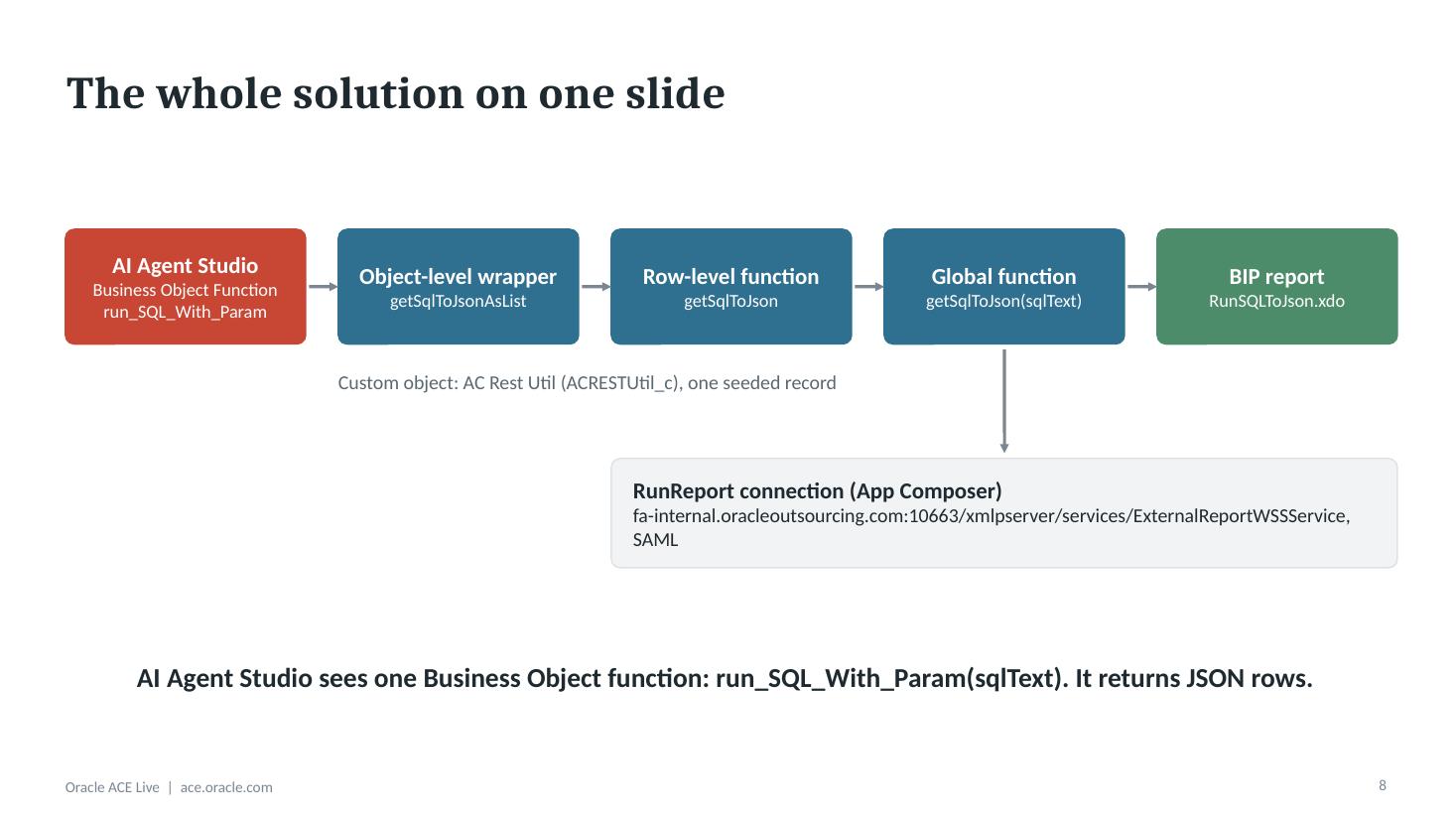
In our tests on 26C, AI Agent Studio calls Fusion REST APIs but cannot call SOAP services, and BI Publisher can run SQL but is reached only over SOAP (see the BI Publisher report service documentation). We close the gap with Application Composer: a REST action on a custom object whose Groovy function calls a generic BIP report (RunSQLToJson.xdo) through an internal SOAP connection with SAML. The result is a Fusion REST endpoint that receives SQL and returns JSON, with no OIC and no external middleware. Because the connection uses the internal fa-internal URL, it is our Production-to-Test-safe pattern and needs no reconfiguration after a clone. The build chain is a BIP report, a global Groovy function, a row-level function, an object-level wrapper (getSqlToJsonAsList) and the Business Object Function. We test it in Postman before any agent touches it. This is our own pattern, not an Oracle-documented one: it relies on a generic BI Publisher report that executes the SQL it receives, so Oracle can change its behavior in a quarterly update, as 26C did (see below). The Business Object tool itself is described in Oracle’s Connecting Agents to Live Fusion Data and the AI Agent Studio documentation.
Design-time SQL for workflow agents
The analyst types the query into the sqlText parameter of the Business Object Function node in the workflow designer. The query is known and reviewed before the agent runs, so the analyst keeps full SQL power and the agent cannot change the query at runtime.
Parametrized tools for supervisor agents
For supervisor-agent chatbots we never expose the generic function. We publish a specific tool with a business name and description, a fixed query with placeholders, and named, typed, described parameters. The LLM picks the tool from its description and fills only the values, such as a work order number; the tool merges them into the design-time SQL. We show a real tool definition from a depot repairs lookup, and the JSON-escaping workflow for pasting a multi-line query into the operation payload.
Guardrails and field notes
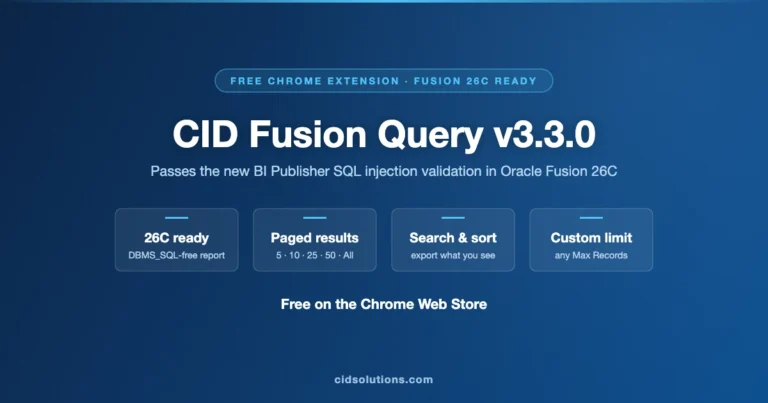
Safe SQL access in Oracle Fusion AI Agent Studio starts with one rule: parameter values are untrusted input, because they are merged into the SQL text rather than bound as bind variables. Keep parameters narrow and typed, validate values before the merge, use a read-only SELECT with a row limit, and run the function as a least-privilege owner. The SQL runs with the function owner’s data access, so restrict who can build agents and who can reach the report folder. After every quarterly update, re-test. Fusion 26C made BI Publisher validate SQL in data models on save and upload: DML and DDL are rejected, and so is any reference to DBMS_SQL, with only a generic “Upload Failed” message. We hit this in our own SQL data model and fixed it (see CID Fusion Query v3.3.0).
Bonus technique: agent-safe Fusion REST
Any Fusion REST endpoint can become a Business Object Function, but a non-200 response makes the agent’s tool call fail. A Groovy wrapper that catches the error and returns it as a normal result lets the agent read and explain it. Our example is a subscription validation action, submitValidationAndCatchErrors, called through the local CRM REST connection with the REST-Framework-Version: 9 header.
Watch the session

Read the full write-up
The step-by-step build, with code, is in our post Fusion AI Agent Studio: Run SQL directly from an agent by using an Application Composer Business Object Function. The internal-URL connection pattern is described in our P2T-safe generic SQL query REST utility post.
Want business analysts in your Fusion environment to get safe SQL access in Oracle Fusion AI Agent Studio? CID can build and harden this pattern in your environment. Reach out at info@cidsolutions.com or WhatsApp — let’s get it solved.